
Header - What's New
29 Feb
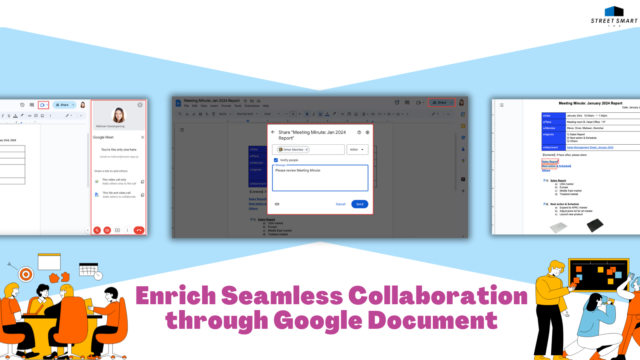
Enrich Seamless Collaboration through Google Document

  Google Docs drives collaboration among team members, you can communicate, discuss more ideas and edit files together via Google Document.   If you are a person who runs projects with a team from different locations or time zones, and your time is almost occupied by busy communication flow from Gmail or Chat. It might bring about information overload leading to miscommunication and frustration. Would it be better if you find a solution tool, the document driven method, where your team members can discuss, and collaborate within one place?   We would recommend Google Docs, the usual famous online document where your team can build, share ideas and make decisions together. As mentioned, you can experience the concept of document
31 Jan
Update Communicative Functions from Google Chat and Meet in 2023

  Google expands product’s ability on Chat and Meet in 2023 enhancing effective communication.   In 2023, Google updated many communicative features and functions on Google Chat and Meet to improve team communication and collaboration. We have collected the top useful communicative functions for you. Please check it out!   Google Chat 1.Summary in Chat Space Enhances Users Catch up Quickly on Conversation 2.Latest Update “In-Line Threads” to All New Created Chat Spaces 3.New Abilities for Space Manager Promoting Effective Communication in Chat Space 4.Latest Update of Transition for Chat Spaces Organized by Topic to In-Line Threaded 5.New Upcoming Threads Improvement in Google Chat 6.Find What You Need Faster in Google Chat 7.Integration between Google Groups and Chat Spaces  

12 Jan
Most Useful Collaborative Functions from Google Workspace in 2023

  Google develops various capabilities for improving people’s work performance.   In 2023, Google initiated and launched several functions and features to improve work capabilities, communication and collaboration among teams. So we would like to review and share with you again the most helpful tips on Google Workspace for each application: how their innovations promote people’s work performance and foster team connection.   Gmail 1. Schedule Meeting Time Easier and Faster from Your Gmail 2. Mail Merge in Gmail Integrates with Google Sheet   Google Drive 3. Improve the Security for Spam Protection in Google Drive 4. Catch up Faster on Recent Activities in Your Google Drive   Google Docs 5. Improve Your Work Efficiency with New Features from Smart

25 Dec
Find What You Need Faster in Google Chat

  New features from Google Chat optimize your experience, you can prioritize and find important conversations easily.   In 2023, Google has many new improvements in Google Chat to simplify users’ communication such as declutter conversation, smart compose, read receipt in group Chat or add hyperlinks to text. Now, they are launching more availability of three features concentrating on a new integrated experience.   First, Google redesigns the left-side navigation panel by introducing a “Shortcuts” to get quick access to “Home” and “Mentions” buttons. They are able to lead users to their pending chat, conversations that need to respond or even the messages which someone directly mentioned to them. It can help them to stay on top of the buzzing

08 Dec
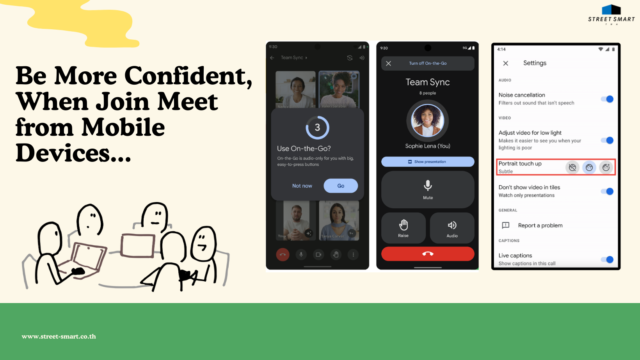
Be More Confident When Join Google Meet from Mobile Devices

  The latest improvements of Google Meet on mobile devices enhance better experience.   Nowadays, working from anywhere is trending for many people. They can keep in touch and collaborate with a team even if they are in different times, places or devices. They are able to utilize mobile devices to communicate with the team by sending emails, chats or joining meetings. According to this working style, users sometimes might have urgent meetings by video call, and they are uncomfortable to show themselves on camera leading to lack self confidence. Google is aware of this pain point and provides a new solution; improving appearance with “Portrait touch-up”, giving them better virtual looks.     Source: Google Workspace Update   For

22 Nov
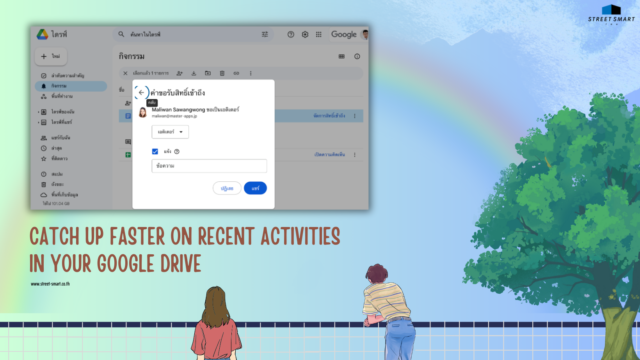
Catch up Faster on Recent Activities in Your Google Drive

  New update on the activity feed in Google Drive shows the latest activities in one place.   If you are busy all day spending time managing many projects, attending various meetings with teams and customers, it will be difficult to stay on top of any updates on documents edited among your teams. Would it be better if you can find reminders and stay on top of the updates and  follow up current activities on your documents?   Now Google Drive launches the new “Activity feed”. Users are able to catch up on movements on their related document files for example, from all pending access requests, recent comments, or approvals for files. This latest feature can be accessible from the

10 Nov
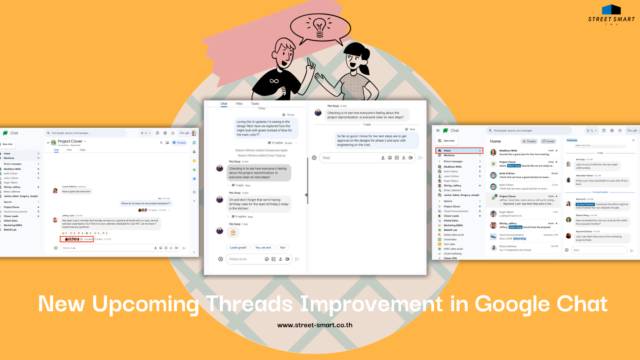
New Upcoming Threads Improvement in Google Chat

  Experience better communication among teams with upgraded in-line threading in Google Chat.   Google Chat enables teams to work in real-time by providing dedicated spaces for conversations and content. It recently launched and brought in many key features to improve user experience such as declutter conversation, smart compose, see read receipt in group Chat and add hyperlinks to text. During the remainder of the year and into 2024, Google Chat plans to launch several more new features relating to in-line-threads including; “resizable threads panel”, “home shortcut”, and “thread participants”.   So we would like to introduce a quick preview on the upcoming threads improvements. The first feature, “resizable threads panel”, users will be able to conveniently resize the threads

27 Oct
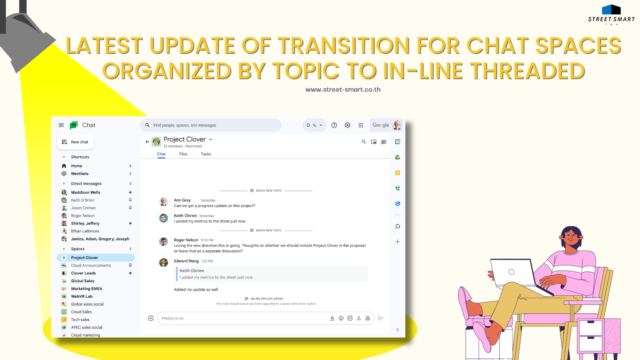
Latest Update of Transition for Chat Spaces Organized by Topic to In-Line Threaded

  The next step of conversation’s flow in Google Chat, all existing spaces organized by conversation topic will be upgraded to in-line threaded.   In October 2022, Google Chat Space announced an “in-line threaded” feature to maximize user’s experience by organizing separate conversations to improve users’ interaction. It was an optional feature apart from “conversation topics” that users could choose which one was their favorites most. Until March 2023, Google updated all newly created Chat Space to be in-line threaded by default. Currently, they are preparing for the next stage; existing Space organized by conversation topic will be migrated to in-line threads conversation soon.   Google will start upgrading conversations grouped by topic to in-line threaded from the end of

11 Oct
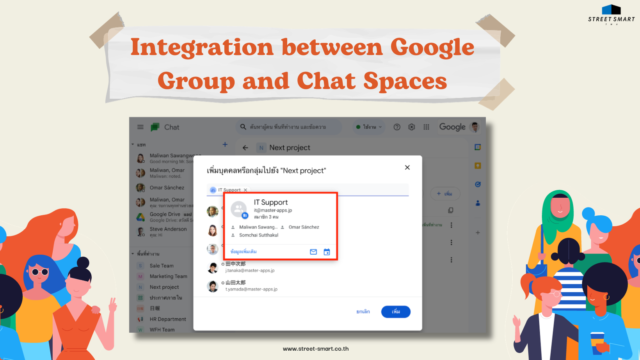
Integration between Google Groups and Chat Spaces

  Add and remove a large group of members in your spaces conveniently.   Spaces in Google Chat helps you communicate with a group of people or an organization about a topic, task, or shared interest. It provides an effective way to collaborate on projects, brainstorm ideas, share files, assign tasks or stay connected with your team members.    Early 2023, Google enabled New Abilities for Chat Space’s Managers, it can customize selection of many features from “Space Settings” including: member management, space configuration, conversation moderation,  and create announcement. Now Google introduces the new ability for space managers or users with the permission to manage members to add Google Groups to a Space.   Source: Google Workspace Update   Space